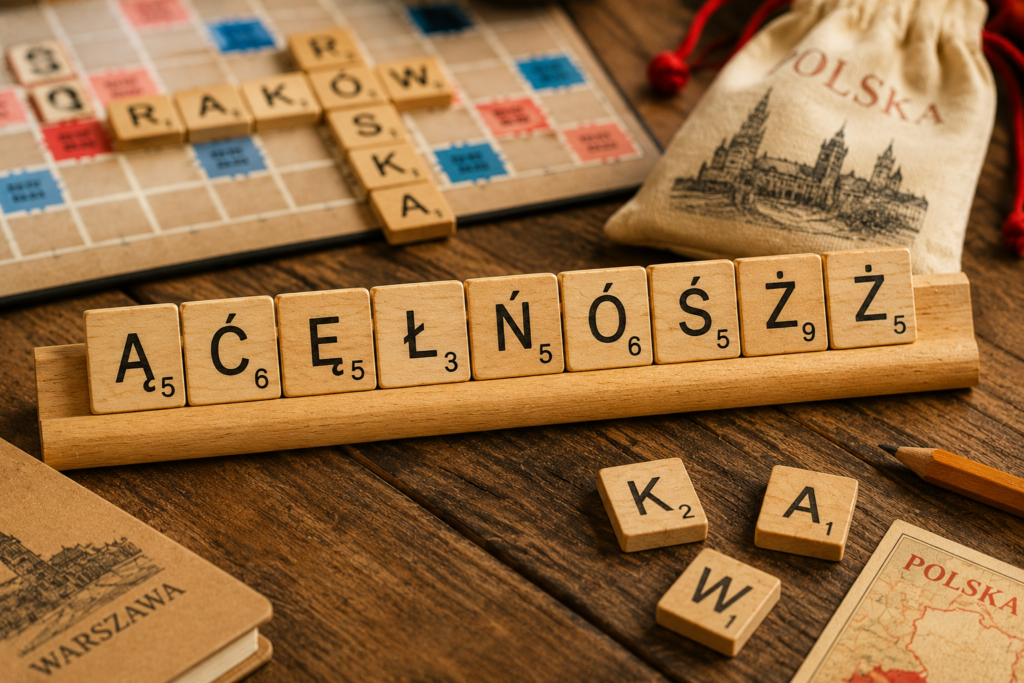
Polish has one of the most distinctive character sets in European languages. Nine special characters sit alongside the standard Latin alphabet, and none of them appear on a standard English keyboard. If you’re learning Polish, corresponding with Polish speakers, or working with Polish text, here’s everything you need to type every Polish character on any device.
The Polish Special Characters
Polish uses nine accented or modified characters:
| Character | Name | Example word |
|---|---|---|
| ą | a with ogonek | ząb (tooth) |
| ć | c with acute | ćma (moth) |
| ę | e with ogonek | język (language) |
| ł | l with stroke | łódź (boat) |
| ń | n with acute | koń (horse) |
| ó | o with acute | król (king) |
| ś | s with acute | środa (Wednesday) |
| ź | z with acute | źródło (source) |
| ż | z with dot above | żaba (frog) |
A few things worth noting:
- ą and ę use the ogonek (a small hook below the letter) — unique to Polish and Lithuanian
- ł is a completely unique character with no equivalent in other major European languages
- ó in Polish represents the same sound as u — unlike in Spanish where it marks stress
- ź and ż are two distinct characters that look similar but are different
Takes 10 seconds. No spam.
Windows
Method 1: Microsoft Word Alt+X
In desktop Microsoft Word, type the character’s hexadecimal Unicode value, then press Alt+X:
| Character | Word shortcut | Character | Word shortcut |
|---|---|---|---|
| ą | 0105, then Alt+X | Ą | 0104, then Alt+X |
| ć | 0107, then Alt+X | Ć | 0106, then Alt+X |
| ę | 0119, then Alt+X | Ę | 0118, then Alt+X |
| ł | 0142, then Alt+X | Ł | 0141, then Alt+X |
| ń | 0144, then Alt+X | Ń | 0143, then Alt+X |
| ó | 00F3, then Alt+X | Ó | 00D3, then Alt+X |
| ś | 015B, then Alt+X | Ś | 015A, then Alt+X |
| ź | 017A, then Alt+X | Ź | 0179, then Alt+X |
| ż | 017C, then Alt+X | Ż | 017B, then Alt+X |
Word’s Alt+X method does not require a numeric keypad. Traditional numeric-keypad codes Alt+0243 for ó and Alt+0211 for Ó work in common Western Windows code-page configurations, but the other Polish letters do not have dependable system-wide numeric Alt codes. For other applications, use the Polish keyboard layout below, Character Map, or copy and paste.
Method 2: Polish Keyboard Layout
The most efficient long-term solution for regular Polish typing on Windows is enabling the Polish (Programmers) keyboard layout. This is the standard layout used by Polish speakers and keeps the QWERTY arrangement intact while giving you direct access to Polish characters via the Right Alt key (AltGr):
- Right Alt + a → ą
- Right Alt + c → ć
- Right Alt + e → ę
- Right Alt + l → ł
- Right Alt + n → ń
- Right Alt + o → ó
- Right Alt + s → ś
- Right Alt + x → ź
- Right Alt + z → ż
To enable it, go to Settings → Time & language → Language & region. Add Polish if needed, open its Language options, then under Keyboards select Add a keyboard → Polish (Programmers).
Switch between layouts using Windows key + Spacebar.
Method 3: US International Keyboard
If you already use the US International keyboard layout, it covers ó (apostrophe + o) but not the ogonek characters or ł. For full Polish support, the Polish (Programmers) layout is the better choice.
Method 4: Copy and Paste
Need a Polish character immediately? Copy directly from here:
ą ć ę ł ń ó ś ź ż Ą Ć Ę Ł Ń Ó Ś Ź Ż
You can also use our interactive Accent Character Finder to copy any accented character instantly and see keyboard shortcuts for every device.
Mac
Method 1: Option Key Shortcuts
Mac covers some Polish characters natively through Option key combinations:
- Option + a → å (not ą — Mac doesn’t have a direct ogonek shortcut)
- Option + e, o → ó
- Option + e, n → ń
- Option + e, s → ś
- Option + e, z → ź
Unfortunately Mac’s built-in shortcuts don’t cover ą, ę, ł, or ż directly. For full Polish support, the Polish keyboard layout is the most practical solution.
Method 2: Polish Keyboard Layout on Mac
Go to System Settings → Keyboard → Input Sources → + → Polish. The Polish keyboard layout on Mac uses similar AltGr-style combinations to the Windows version.
Switch between layouts using the input menu in the menu bar — enable it under System Settings → Keyboard → Show Input menu in menu bar.
Method 3: Hold-Key Popup
The hold-key popup covers a few Polish characters:
- Hold o → includes ó
- Hold n → includes ń
It does not cover ą, ć, ę, ł, ś, ź, or ż — for those you’ll need the Polish keyboard layout or copy-paste.
iPhone and Android
iPhone and iPad
The hold-key popup covers the characters that overlap with other Latin languages:
- Hold o → select ó
- Hold n → select ń
For the uniquely Polish characters — ą, ć, ę, ł, ś, ź, ż — add the Polish keyboard to your device: Settings → General → Keyboard → Keyboards → Add New Keyboard → Polish
Once added, switch to it by tapping the globe icon on your keyboard. The Polish keyboard places all nine special characters within easy reach.
Android
Same approach: add the Polish keyboard via Settings → General Management → Language and Input → On-screen Keyboard → Manage Keyboards and enable Polish.
Alternatively, on Gboard, long-pressing letters will show Polish characters in the popup if Polish is added as an input language.
Chromebook
Method 1: Polish Keyboard Layout
Add the Polish keyboard in Settings → Device → Keyboard → Change input methods → Add input methods → Polish. Switch between layouts using Ctrl + Shift + Spacebar.
Method 2: Unicode Input
Enter any Polish character by Unicode without changing your keyboard layout:
| Character | Unicode | Input |
|---|---|---|
| ą | 0105 | Ctrl+Shift+U, 105 |
| ć | 0107 | Ctrl+Shift+U, 107 |
| ę | 0119 | Ctrl+Shift+U, 119 |
| ł | 0142 | Ctrl+Shift+U, 142 |
| ń | 0144 | Ctrl+Shift+U, 144 |
| ó | 00f3 | Ctrl+Shift+U, f3 |
| ś | 015b | Ctrl+Shift+U, 15b |
| ź | 017a | Ctrl+Shift+U, 17a |
| ż | 017c | Ctrl+Shift+U, 17c |
Press Ctrl + Shift + U, type the code, then press Enter.
Quick Reference: All Polish Characters
| Character | Word Alt+X | Windows AltGr | Mac Option | Unicode |
|---|---|---|---|---|
| ą | 0105, then Alt+X | AltGr+a | — | 0105 |
| ć | 0107, then Alt+X | AltGr+c | — | 0107 |
| ę | 0119, then Alt+X | AltGr+e | — | 0119 |
| ł | 0142, then Alt+X | AltGr+l | — | 0142 |
| ń | 0144, then Alt+X | AltGr+n | Option+e, n | 0144 |
| ó | 00F3, then Alt+X | AltGr+o | Option+e, o | 00f3 |
| ś | 015B, then Alt+X | AltGr+s | Option+e, s | 015b |
| ź | 017A, then Alt+X | AltGr+x | Option+e, z | 017a |
| ż | 017C, then Alt+X | AltGr+z | — | 017c |
Which Method Is Right for You?
- Occasional Polish words → copy and paste, Character Map, or Word Alt+X
- Regular Polish typing on Windows → Polish (Programmers) keyboard layout
- Regular Polish typing on Mac → Polish keyboard layout
- Mobile → add the Polish keyboard to your device
- Chromebook → Polish keyboard layout or Unicode input

Typing accents for other languages? See our guides on Spanish accents, French accents, German accents, Portuguese accents, and Swedish accents.